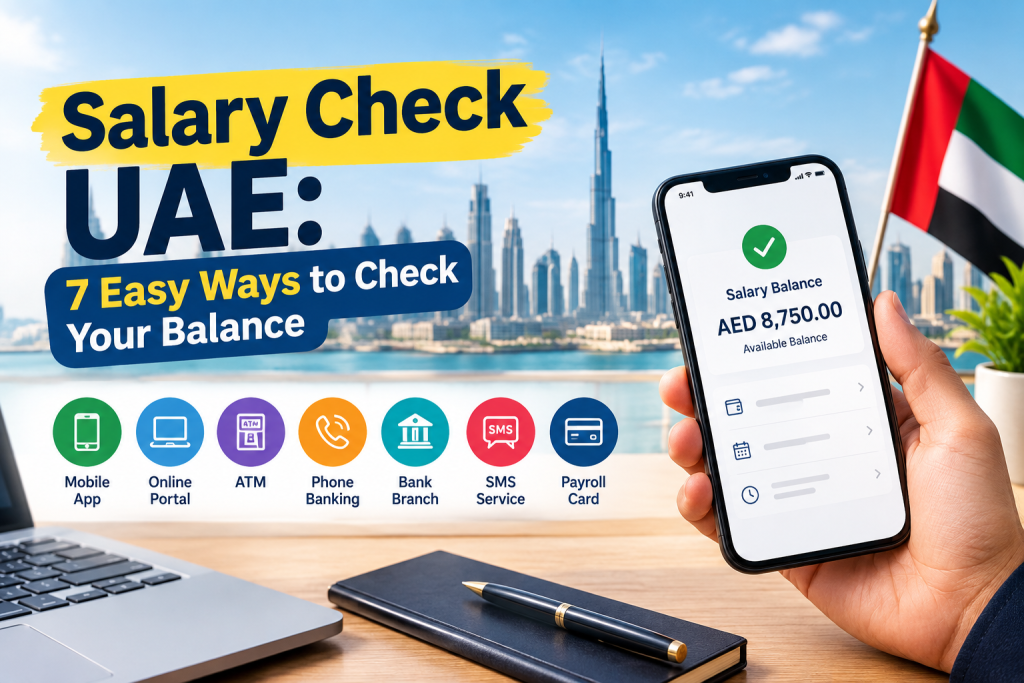
Salary Check UAE: 7 Easy Ways to Check Your Balance
Checking your salary after payday is important, especially if you live and work in the United Arab Emirates (UAE). Whether your employer pays you through a traditional bank account or a prepaid salary card, knowing how to check your available balance helps you manage expenses, confirm payments and identify possible delays.
A salary check UAE balance enquiry can usually be completed through a bank’s mobile application, online banking portal, ATM or official salary card service. The exact method depends on the bank or payment provider that issued your account or card.
In this guide, you will learn how to check your UAE salary balance, understand the Wage Protection System (WPS), find the appropriate method for common salary cards, and know what to do if your salary has not arrived.
What Is a Salary Check Balance Enquiry in the UAE?
A salary balance enquiry is the process of checking how much money is available in your bank account or payroll card after your employer processes your salary.
Many private-sector employers in the UAE pay wages through the Wage Protection System (WPS), an electronic salary payment system supervised by the relevant UAE authorities. Employers subject to WPS requirements use approved financial institutions and payment channels to transfer wages to employees.
However, WPS does not mean that every employee has the same type of account. Your salary may be credited to a regular bank account or a payroll card provided through a participating bank or financial institution.
Before checking your balance, identify these three details:
- The name of your bank or salary card provider.
- Whether you have a bank account or a prepaid payroll card.
- Which official app, website or customer service channel supports your card.
These details will help you choose the correct balance enquiry method.
How to Check Your Salary Balance Online in the UAE
If your salary is paid into a regular bank account, online banking is generally the most convenient way to confirm the payment.
1. Check Through Your Bank’s Mobile App
Most major UAE banks provide mobile applications that let customers view account balances and transaction histories.
Follow these steps:
- Download your bank’s official mobile application from a trusted app store.
- Sign in using your registered credentials or an available secure authentication method.
- Open your salary account from the account dashboard.
- Check your available balance.
- Review recent transactions and look for the incoming salary payment.
Your salary transaction may include a salary description, employer name or payment reference. The exact wording varies by bank and employer.
If you cannot see the payment, check the transaction history again later and contact your employer’s payroll team if necessary.
2. Use Online Banking
You can also check your salary through your bank’s official website.
Open the website by entering the bank’s address yourself, sign in securely and navigate to your account summary or transaction history.
Online banking is useful when you are working on a computer or cannot access your mobile application. Never enter your banking credentials on a website reached through an unsolicited message.
3. Check Your Salary at an ATM
An ATM provides another option if you do not have reliable internet access.
- Visit an ATM that supports your bank card.
- Insert your card and enter your PIN.
- Select the balance enquiry option.
- Review the displayed balance or request a receipt if available.
- End the session and collect your card.
Some ATM operators may charge a fee, particularly for transactions involving another bank’s network. Check the displayed fee before proceeding.
4. Use SMS or Phone Banking
Some banks offer SMS alerts, balance enquiry services or automated telephone banking.
Availability depends on the bank and the services registered on your account. Follow the instructions provided through your bank’s official website or customer service team.
Do not assume that one SMS keyword works for every UAE bank. Using the wrong number or an unofficial service could expose your information.
How to Check FAB Ratibi Salary Card Balance
The FAB Ratibi card is a payroll card associated with First Abu Dhabi Bank (FAB). It is designed to provide salary access for eligible employees who receive their wages through an employer’s payroll arrangement.
If your employer pays your salary to a Ratibi card, use the official FAB or designated prepaid-card service to identify the supported balance enquiry method.
Steps to Check Your Ratibi Balance
- Locate the Ratibi card issued to you by your employer.
- Visit FAB’s official website and navigate to the Ratibi or prepaid-card information section.
- Follow the instructions for the applicable balance enquiry service.
- Enter the card information requested by the official portal, if applicable.
- Complete any required verification and review your available balance.
Depending on your card and current service arrangements, other options may include supported FAB banking services or an eligible ATM.
Important: Portal addresses, verification requirements and supported services can change. Do not use an unverified third-party balance-check website or share your PIN or one-time password with another person.
Official website: https://www.bankfab.com/
How to Check Lulu Salary Card Balance
Employees who receive wages through a Lulu Exchange payroll arrangement should use the official service associated with their particular card.
The available options may vary according to the card product and issuing arrangement.
Balance Enquiry Steps
- Check the name and branding printed on your salary card.
- Visit the official Lulu Exchange website or access its verified application, if your card supports it.
- Sign in or complete the identification process requested by the provider.
- Open the relevant card or account section.
- Review your balance and recent transactions, if available.
If you cannot locate a balance enquiry option, contact the provider using the official contact details on its website or the information supplied with your card.
Official website: https://www.luluexchange.com/
Do not assume that every Lulu-branded payroll card uses the same login method or supports SMS balance enquiries. Check the instructions for your specific card.
How to Check Other UAE Salary Cards
If your payroll card was issued through another bank or exchange house, the same general approach applies.
First, identify the card issuer by checking the card branding, welcome documents or information supplied by your employer.
Next, visit the issuer’s official website or application and look for its salary card, payroll card or balance enquiry section.
Depending on the product, you may be able to check your balance through:
- An official mobile application.
- A dedicated online balance enquiry portal.
- A supported ATM.
- SMS banking, if the service is available.
- Customer support or a branch.
If you are unsure which provider manages your card, ask your HR or payroll department. Your employer should be able to identify the payment provider used for your salary.
Salary Check UAE: Quick Reference Table
| Payment method | Recommended balance enquiry option |
|---|---|
| Regular bank account | Official mobile app or online banking |
| FAB Ratibi card | Official FAB or designated card service |
| Lulu payroll card | Official provider service for your card |
| Other bank salary card | Issuing bank’s official app or website |
| Exchange house payroll card | Provider’s official app, portal or support |
| Provider unknown | Contact your employer’s payroll team |
The best option is the one officially supported by your account or card issuer. Features, fees and verification requirements may differ.
What Is WPS in the UAE?
The Wage Protection System is an electronic mechanism used to monitor and facilitate wage payments for employees covered by the applicable rules.
It helps relevant authorities monitor whether employers are meeting their wage payment obligations. However, checking your bank balance and checking your WPS payment status are not necessarily the same thing.
Your bank or salary card provider can help you confirm whether a payment has reached your account. Your employer can confirm payroll submission details, while the Ministry of Human Resources and Emiratisation (MOHRE) provides official information about applicable labour rules and complaints procedures.
For authoritative guidance, visit the official MOHRE website:
Why Is My Salary Not Showing in the UAE?
If your salary is missing from your balance, avoid assuming immediately that the payment has been lost. Check the following possibilities.
1. Your Employer Has Not Completed Payroll Processing
Your employer may still be preparing or processing the salary payment. Ask HR or the accounts department whether your payroll has been processed and submitted.
2. The Payment Is Still Being Processed
A payment may take time to appear, depending on the employer’s submission, financial institution and payment arrangements. There is no single processing time that applies to every bank and salary card.
3. You Are Checking the Wrong Account
If you have more than one account or card, verify that your employer is paying the correct one.
4. Your Card or Account Has an Issue
An inactive, blocked, expired or replaced card may require assistance from the issuing provider. Contact the provider through an official channel to confirm your account status.
5. A Public Holiday or Processing Schedule Has Affected the Payment
Payment processing schedules may vary around weekends and public holidays. Ask your employer for the expected payment date and confirm the status with the relevant provider.
What Should You Do if Your Salary Is Delayed?
Follow this practical sequence:
- Check your available balance and transaction history.
- Ask your employer whether the salary payment was processed.
- Confirm the destination account or salary card details.
- Contact the bank or card issuer if the payment was submitted but has not appeared.
- If the matter remains unresolved, consult MOHRE’s official guidance about your rights and the appropriate complaint process.
Keep relevant payslips, payment messages and communications with your employer in case you need to document the issue.
Important Safety Tips for Salary Balance Enquiries
Your salary account contains sensitive financial information. Follow these precautions whenever you check your balance.
- Use official services: Access your bank or card issuer through its verified website, application or published customer service number.
- Protect your PIN: Never disclose your ATM PIN to another person.
- Keep OTPs private: Do not share one-time passwords with callers or people claiming to represent your bank.
- Avoid suspicious links: Do not enter card details through unexpected SMS, email or WhatsApp links.
- Check website addresses: Confirm that you are using the genuine provider’s website before signing in.
- Review transaction history: Report unfamiliar transactions promptly to your bank or card issuer.
- Check fees: Review any applicable charges before using an ATM or SMS enquiry service.
You do not need to share your full card number, PIN or OTP with an unofficial website or another person to ask for general balance-checking guidance.
Frequently Asked Questions
How can I check my salary balance in the UAE?
Use your bank’s official mobile application, online banking portal or a supported ATM. For a payroll card, follow the balance enquiry instructions supplied by the card issuer.
How can I check my FAB Ratibi balance?
Visit FAB’s official website and locate the Ratibi or prepaid-card information. Follow the current instructions for your card and use only the designated official balance enquiry service.
Can I check my UAE salary balance online?
Yes. Many banks and payroll card providers offer online balance enquiry options. Availability depends on your account type and provider.
Can I check my salary card balance through SMS?
Some providers support SMS balance enquiries or salary alerts, while others may not. Check the official instructions for your particular card before sending a message.
What should I do if my salary has not been credited?
Ask your employer to confirm the payroll submission and expected payment date. Then contact your bank or card provider if the payment should already have arrived. Consult MOHRE if you need guidance about an unresolved wage payment issue.
Is salary balance checking free in the UAE?
Mobile applications and online banking may provide balance enquiries without charge, but fees depend on the provider and service. Certain ATM or SMS transactions may incur fees, so check the applicable terms.
What is the difference between a bank account and a salary card?
A bank account is a banking account with features determined by the account type. A salary card is a payment card linked to a payroll arrangement and may have different features, limits and access methods. Check your provider’s terms to understand what your specific card supports.
Final Thoughts
Checking your salary balance in the UAE is straightforward once you know which bank or payroll card provider manages your payments. Mobile banking and online portals are convenient for regular bank accounts, while salary cardholders should use the official services designated for their particular card.
If a salary payment is missing, confirm the payroll status with your employer before contacting the financial institution. Keep your account information secure and consult official UAE government guidance if a wage payment issue remains unresolved.
For more practical guides about banking, online services and everyday life in the Emirates, explore the latest guides on UAEPosts.com.