FAB Salary Check Online UAE: Check Salary Balance & Ratibi Card
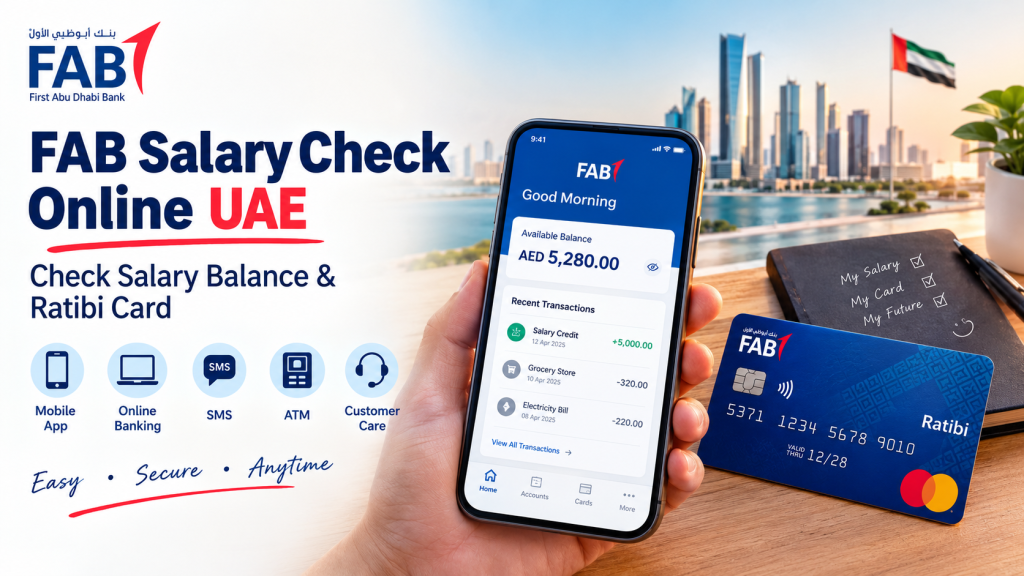
If you work in the UAE and receive your salary through First Abu Dhabi Bank (FAB), checking your salary balance can help you confirm whether your payment has arrived and how much money is available. Whether you use a regular FAB bank account or a Ratibi prepaid salary card, choosing the correct balance enquiry method is important.
With FAB Salary Check Online, you can use the bank’s official digital services to review your account balance and transaction history. Ratibi cardholders can also use FAB’s dedicated Ratibi balance enquiry service to check their available funds.
This guide explains how to check your FAB salary balance online, access Ratibi card balance information, understand salary delays, and resolve common checking problems safely.
What Is FAB Salary Check Online?
FAB Salary Check Online refers to checking your available salary funds and related transactions through the official services of First Abu Dhabi Bank. The appropriate method depends on whether your employer pays your salary into a FAB bank account or through a Ratibi payroll prepaid card.
FAB provides digital banking services through its mobile application and online banking platform. Eligible customers can use these services to view account balances and transaction history.
Ratibi is a payroll prepaid card solution designed for employees earning up to AED 5,000. It allows participating employers to pay salaries to employees without requiring them to maintain a conventional bank account.
For the most accurate information, use the official FAB website or the bank’s Ratibi Prepaid Card page.
How to Check FAB Salary Balance Online
The right method depends on the type of account or salary card you have. Follow the relevant option below.
1. Check Your FAB Salary Through the Mobile App
FAB Mobile is a convenient option for eligible customers who use FAB banking services.
Steps to follow:
- Download the official FAB Mobile app from your device’s app store.
- Open the app and register or sign in using your existing banking credentials.
- Complete the authentication steps requested by the bank.
- Open the relevant account or card section.
- Review your available balance and recent transactions.
- Look for the latest salary credit in your transaction history.
If your salary payment appears in the transaction history, check the credited amount and transaction date to confirm the deposit.
Official resource: FAB Mobile Banking.
2. Check FAB Salary Through Online Banking
If you prefer using a laptop or desktop computer, FAB Internet Banking may be suitable for your account.
How to check your balance:
- Visit the official FAB website.
- Navigate to personal online banking.
- Open the official login page.
- Sign in using your registered credentials.
- Complete any security verification requested.
- Open your account balance or transaction history.
- Check the latest salary deposit and the available balance.
Always verify that you are on the genuine FAB website before entering your login information. If you have not registered for online banking, follow the bank’s official registration process.
3. Check FAB Ratibi Card Balance Online
Ratibi cardholders should use the dedicated Ratibi balance enquiry service rather than assuming that every regular bank-account feature applies to their prepaid card.
Follow these steps:
- Visit the official FAB Ratibi Prepaid Card page.
- Find the balance enquiry option for existing Ratibi cardholders.
- Open the official enquiry service.
- Follow the instructions displayed on the bank’s page.
- Enter only the information requested by the verified official service.
- Review the available balance and confirm whether the expected salary credit is reflected.
The exact steps and information requested may depend on the service being used. Do not enter your card information on an unfamiliar website claiming to offer a FAB salary check.
4. Check Your Salary at an ATM
An ATM can be a useful alternative if you cannot access an online service.
Steps:
- Visit a compatible ATM.
- Insert your card and select the appropriate language.
- Enter your PIN privately.
- Choose the balance enquiry option.
- Review the displayed balance and follow the on-screen instructions to finish.
Check any applicable ATM fees before proceeding. Do not assume that every ATM offers the same services or that all card types are supported by every ATM network.
5. Check Salary Credit Through Transaction Notifications
If you receive salary credit alerts, review the notification sent through your bank’s official service. FAB’s Ratibi information also mentions SMS alerts for salary credits.
Notifications can help you identify when a payment is credited, but checking your balance or transaction history through the appropriate official service is a more useful way to confirm the amount.
Do not rely on an old message as proof of your current available balance.
FAB Bank Account vs Ratibi Salary Card
Before checking your salary, identify the payment method used by your employer.
| Feature | FAB Bank Account | Ratibi Prepaid Card |
|---|---|---|
| Main purpose | Personal banking and salary deposits | Payroll salary payments |
| Bank account required | Yes, for account-based banking | No conventional bank account required |
| Balance checking | Eligible FAB digital banking services | Dedicated Ratibi balance enquiry service |
| Transaction information | Available through supported account services | Depends on the card service and information provided |
| Suitable for | Employees paid into a FAB account | Employees receiving salaries through Ratibi |
Ratibi is designed to provide a salary payment option without requiring a conventional bank account. Your employer’s payroll arrangement determines which method you should follow.
What to Do If Your FAB Salary Is Not Showing
If your salary is missing from your balance, do not immediately assume that the payment has failed. Work through these checks first.
1. Check the Transaction History
Sign in to the appropriate official service and review recent transactions. Confirm the date and amount of any salary credit.
2. Confirm the Expected Payday
Check your employer’s payroll schedule. A payment may not appear until the employer has processed and submitted the salary payment.
3. Verify Your Payment Method
Make sure you are checking the correct FAB account or Ratibi card. If you have multiple cards or accounts, check the one associated with your employer’s payroll.
4. Allow for Processing or Display Delays
A salary payment may take time to appear, depending on payroll processing and the relevant banking arrangements. The exact timing cannot be guaranteed for every payment.
5. Contact Your Employer’s Payroll Team
If the expected payment is missing, ask your employer to confirm whether the salary has been processed and whether the payment details are correct.
6. Contact FAB Through Official Support
If your employer confirms the payment was processed but you still cannot see it, contact FAB through its official support channels. Provide the transaction reference or other requested information only through a verified channel.
Common FAB Salary Check Problems and Solutions
Login not working: Check that you are using the correct official platform and registered credentials. Use the bank’s official account recovery process if necessary.
Verification code not received: Confirm that your registered mobile number is active and can receive messages. Follow the authentication instructions shown by FAB.
Ratibi balance not appearing: Make sure you are using the dedicated Ratibi enquiry service and following its current instructions.
Salary credited but balance looks different: Review recent transactions and check for other payments, withdrawals or deductions that may explain the difference.
Online banking temporarily unavailable: Check FAB’s official service status page and try again when the relevant service is available.
Card declined at an ATM: Confirm that the card is active, use a compatible ATM, and contact the card issuer if the problem continues.
Important Security Tips for FAB Salary Checking
Salary information and card details are private financial information. Follow these precautions whenever you check your balance.
- Use the official FAB website, app or verified banking services.
- Never share your PIN, password or one-time verification code with another person.
- Avoid clicking unknown links in messages claiming to offer salary checks.
- Do not enter card information on websites that cannot be verified.
- Review your balance and transactions regularly.
- Contact the bank promptly if you notice an unfamiliar transaction or suspect unauthorised access.
FAB explains its digital banking security features on its official digital security page.
Frequently Asked Questions
How can I check my FAB salary online in the UAE?
If your salary is paid into a FAB bank account, sign in to an eligible official FAB digital banking service and review your balance and transaction history. Ratibi cardholders should use the dedicated Ratibi balance enquiry service.
Can I check my FAB salary without visiting a bank branch?
Yes. Eligible customers can use FAB Mobile or online banking to review account information. Ratibi cardholders can access the dedicated online balance enquiry service, subject to its requirements.
How do I check my Ratibi card salary balance?
Visit FAB’s official Ratibi Prepaid Card page and select the balance enquiry option for existing cardholders. Follow the current instructions provided by FAB.
Why is my FAB salary not credited yet?
Possible reasons include payroll processing delays, an employer payment that has not yet been submitted, or a delay in displaying the transaction. Check with your employer and contact FAB if necessary.
Can I check my FAB salary through an ATM?
You may be able to check your balance through a compatible ATM using your card and PIN. Available functions depend on the card and ATM network.
Is FAB Salary Check Online free?
The cost depends on the method and service you use. Check FAB’s applicable fees and charges before using a service, particularly when using an ATM or another provider’s network.
Is it safe to check my salary online?
It can be safe when you use genuine FAB services, protect your credentials and follow the bank’s security instructions. Never share your PIN or verification codes with anyone.
Conclusion
FAB Salary Check Online makes it easier for UAE employees to monitor their salary funds using the appropriate banking service. Customers paid into a FAB bank account can review their balances and transaction history through eligible digital banking services, while Ratibi cardholders should use the dedicated balance enquiry option.
If your salary is missing, check the relevant transaction history, confirm the expected payday and contact your employer or FAB through official channels if the issue continues.
For the safest and most accurate instructions, start with the official FAB website or the Ratibi Prepaid Card page.