Lulu Exchange Balance Check: 5 Easy Ways to Check Card, ATM, App & SMS Balance in UAE
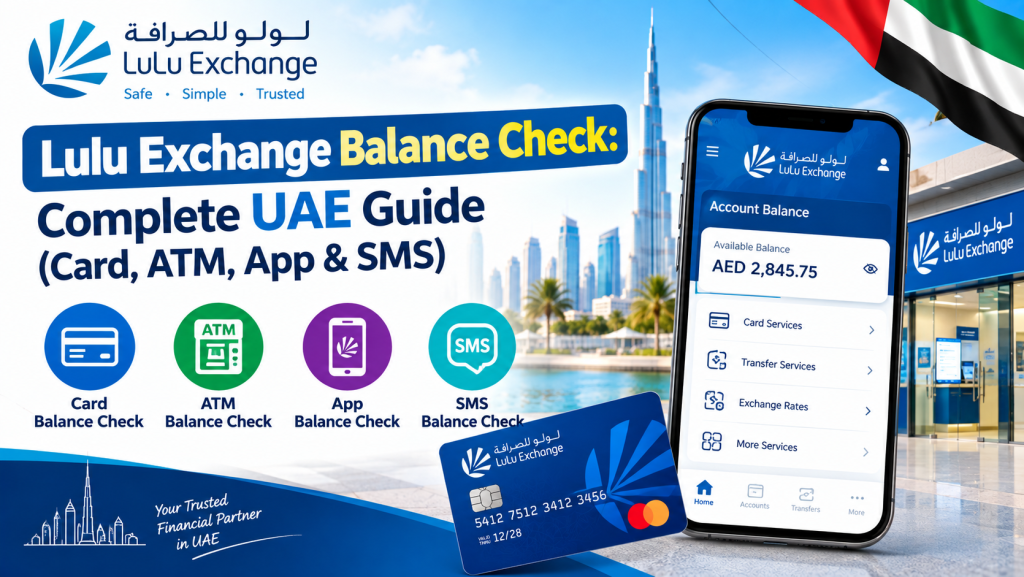
If your salary or remittance card comes from Lulu Exchange, checking your balance should never feel like a guessing game. Whether you are waiting on a monthly salary credit, want to confirm a top-up went through, or simply like to keep an eye on your available funds before spending, there are several official ways to run a Lulu Exchange balance check in the UAE, and almost all of them take less than a minute.
This guide walks through every method available in 2026: the Lulu Money app, the website, ATM machines, SMS, and phone support. We will also cover what to do if your salary is not showing up on time, and how to keep your card details safe while checking your balance.
What Is Lulu Exchange and the Lulu Salary Card?
Lulu Exchange is one of the largest money exchange and remittance networks in the UAE, with branches spread across nearly every emirate. Beyond currency exchange and international transfers, Lulu also issues a prepaid salary card, officially branded as My Pay My Card, used by employers to pay staff salaries under the UAE’s Wage Protection System (WPS).
This card works much like other prepaid salary cards in the country. It does not require a traditional bank account, it can be used to withdraw cash from ATMs, pay at retailers, and check balances anytime through several official channels. Because so many workers across construction, retail, and hospitality sectors rely on this card for their monthly pay, a fast and reliable balance check matters just as much as the payment itself.
Lulu Salary Card Balance Check: Every Method Available
There is no single “best” way to check your balance. The right method depends on whether you have a smartphone handy, whether you are near an ATM, or whether you just want a quick answer without opening any app at all.
1. Lulu Money App (Most Convenient)
The Lulu Money app is the official mobile companion for Lulu salary cardholders, and it is the most complete way to check your balance.
- Download Lulu Money from the App Store or Google Play.
- Register using your mobile number and verify with the OTP sent to your phone.
- Log in and open the My Cards section.
- Select your salary card to view your current balance along with recent transaction history.
The app is free to use and also supports international remittances and bill payments, so it doubles as a general money-management tool rather than just a balance checker.
2. Lulu Bank Balance Check Online (Website)
If you prefer not to install an app, you can perform a lulu bank balance check directly through a browser.
- Visit the official Lulu Money website.
- Log in with your registered mobile number and the OTP sent to you.
- Navigate to your account dashboard or My Cards.
- Select your card to see your balance and transaction history.
This method works on any device with internet access, which makes it useful if you are at a shared computer or do not want to use mobile data for an app download.
3. Lulu ATM Balance Check
For a lulu atm balance check, you do not need internet access at all, just your physical card and PIN.
- Insert your My Pay My Card into a supported ATM. This includes select Emirates NBD, Emirates Islamic, and Mashreq ATMs, as well as machines at Lulu Exchange branches.
- Enter your 4-digit PIN.
- Select Balance Inquiry from the on-screen menu.
- Your available balance will display immediately, and you can usually request a printed receipt.
If you are traveling outside the UAE, the card also works internationally at ATMs displaying the Mastercard or Discover logo, though international ATM operators may charge a service fee.
4. SMS Balance Check
If you do not have a smartphone or prefer not to use data, a simple text message will do the job.
- Open your phone’s messaging app.
- Type BAL followed by a space and your full card number.
- Send it to the designated short code used for Lulu balance requests.
- You will receive a reply within seconds showing your current balance.
This only works from the mobile number registered to your card, so if you have recently changed your number, update it with Lulu Exchange before relying on this method.
5. Phone / IVR Balance Check
Calling in remains a dependable fallback, especially if you have trouble with the app or SMS.
- Call the Lulu Exchange customer service number from any UAE phone line.
- Choose your preferred language when prompted.
- Enter your card number when asked.
- Follow the automated menu to hear your balance read out.
This service is typically available 24/7, and standard call charges from your provider may apply.
6. Visit a Lulu Exchange Branch
With more than 90 branches across the UAE, an in-person visit is still a realistic option for anyone who prefers face-to-face service.
- Visit any Lulu Exchange branch.
- Present your card along with your Emirates ID.
- Staff will check your balance for you and can print a receipt on request.
This is a good option if you are also depositing cash, sending a remittance, or need help with a card issue at the same time.
Lulu FAB Salary Card Balance Check Online
Some users specifically search for a lulu fab salary card balance check online, often because they are unsure whether their card is issued by Lulu Exchange or by First Abu Dhabi Bank (FAB), since both companies issue separate WPS salary cards in the UAE. It is worth being clear about the distinction here.
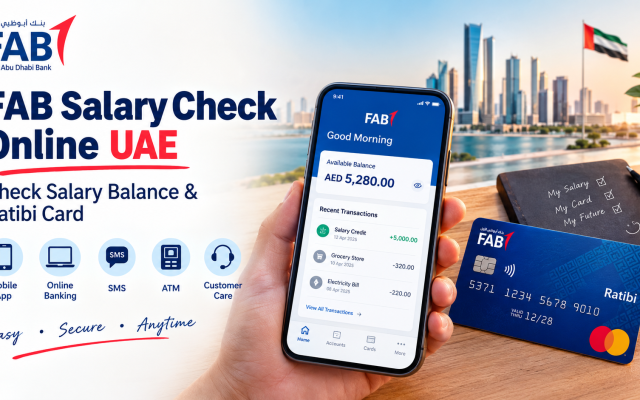
Lulu Exchange issues its own salary card, My Pay My Card, checked through the Lulu Money app or website as described above. FAB issues a separate salary card called Ratibi, which is checked through a different portal entirely (the PPC/Magnati balance inquiry system), not through Lulu Money.
If your card physically has the Lulu Exchange or Lulu Financial Holdings branding on it, use the Lulu Money channels. If it carries the FAB or Ratibi branding, you will need to use FAB’s own balance inquiry system instead. Checking your card and comparing the logo is the quickest way to be sure you are using the right method.
Lulu International Exchange Card Balance Check
If you hold a card issued through Lulu International Exchange rather than the domestic UAE branch of Lulu Exchange, the balance check process generally follows the same structure: app, website, ATM, SMS, or phone support. However, since Lulu operates across several countries in the Gulf and beyond, always confirm you are using the correct regional app or portal for the country where your card was issued, since login credentials and short codes may differ between regions.
Quick Reference Table
| Method | Best For | Speed | Cost |
| Lulu Money App | Full account view, transaction history | Instant | Free |
| Lulu Money Website | No app installation needed | Instant | Free |
| ATM | No internet required | Instant | Free at partner ATMs |
| SMS | Basic phones, quick check | Under a minute | Standard SMS rate |
| Phone / IVR | Automated support, no app | A few minutes | Standard call rate |
| Branch Visit | In-person help, other services needed | Same day | Free |
What to Do If Your Lulu Salary Card Balance Is Not Showing
It is common for salaries to feel “late” simply because of how WPS processing works, rather than any actual problem with your card. Before assuming the worst, work through this checklist:
- Give it 24 to 48 hours. WPS credits can take up to two business days to reflect after your employer submits the payroll file.
- Check with your employer’s HR team. If more than two business days have passed, the most common cause is a delay on the employer’s side in submitting the WPS file, not a bank error.
- Try a different balance-check method. If SMS balance checks are not working, your registered mobile number may be out of date. Switch to the Lulu Money app or call customer service instead.
- Confirm the card is active. A card that was never activated after issuance will not reflect new credits correctly.
- Call Lulu Exchange directly if the delay continues beyond a reasonable window, since they can confirm on their end whether the payment file was received and processed.
Staying Safe While Checking Your Balance
Because balance checks involve sharing your card number and sometimes an OTP, a little caution goes a long way.
- Only use the official Lulu Money app, the official website, or verified customer service numbers. Avoid links sent through unsolicited SMS or WhatsApp messages, even if they look convincing.
- Never share your PIN, OTP, or full card number with anyone claiming to represent Lulu Exchange or your employer. Legitimate staff will never ask for your PIN.
- Avoid checking your balance over public Wi-Fi. Use your mobile data or a trusted network instead.
- Keep transaction receipts and SMS confirmations until you are sure a salary credit or withdrawal has processed correctly.
- If a website or app looks unfamiliar, loads oddly, or has a slightly different spelling of the Lulu name, stop and verify before entering any details.
Frequently Asked Questions
How do I do a Lulu card balance check without the app? You can check your balance through the Lulu Money website by logging in with your mobile number and OTP, via ATM using your card and PIN, by sending an SMS balance request, or by calling Lulu Exchange customer service.
Is Lulu exchange balance check free? Yes. All standard methods, including the app, website, ATM at partner banks, SMS, and phone support, are free of charge. Using a non-partner ATM may incur a small fee from that bank.
What is the difference between a Lulu salary card and a FAB salary card? A Lulu salary card (My Pay My Card) is issued and managed by Lulu Exchange and checked through Lulu Money. A FAB salary card (Ratibi) is issued by First Abu Dhabi Bank and checked through a separate FAB inquiry system. They are not interchangeable.
Why is my Lulu salary card balance check by SMS not working? This usually means your mobile number is not registered against your card, or you have changed your number recently. Try the Lulu Money app instead, or contact customer service to update your registered number.
Can I check my Lulu salary card balance from outside the UAE? Yes. The Lulu Money app and website work internationally with an internet connection. Your card can also be used at ATMs abroad that display the Mastercard or Discover logo, though international fees may apply.
What should I do if my Lulu card is lost or stolen? Contact Lulu Exchange customer service immediately to block the card and request a replacement. Keep your Emirates ID and any card details you remember on hand when calling.
Final Thoughts
Whether you prefer the convenience of the Lulu Money app, the simplicity of an ATM, or a quick SMS while on the move, checking your Lulu Exchange balance in the UAE is designed to be fast and free across every official channel. The one thing worth remembering is to always confirm which card you actually hold, Lulu’s own salary card or a separately branded FAB card, since each uses its own dedicated system. Once you know which channel applies to your card, checking your balance takes less time than making a cup of tea.