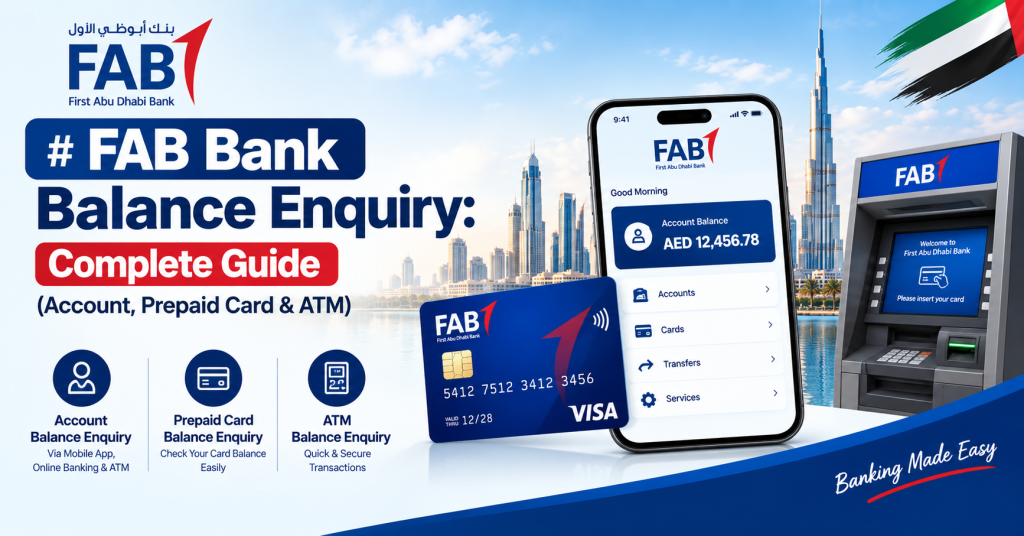
FAB Bank Balance Enquiry: Complete Guide (Account, Prepaid Card & ATM)
Checking your balance should never feel more complicated than the banking itself, yet many FAB customers in the UAE get stuck at exactly this step, simply because FAB serves two very different types of customers: regular account holders and prepaid or salary cardholders. Each group uses a different official channel, and mixing them up is the most common reason a fab bank balance enquiry fails on the first try.
This guide sorts out the confusion completely. We will walk through how to check a regular FAB account balance, how to run a fab bank prepaid card balance enquiry, what changed after the NBAD merger, and every channel available, whether you prefer an app, an ATM, SMS, or a phone call.
Step One: Know Which Type of FAB Customer You Are
Before doing anything else, it helps to identify which category applies to you, since the correct method depends entirely on this.
- Regular FAB bank account holder — you have a savings or current account with FAB, likely with a debit card linked to it and full online banking access.
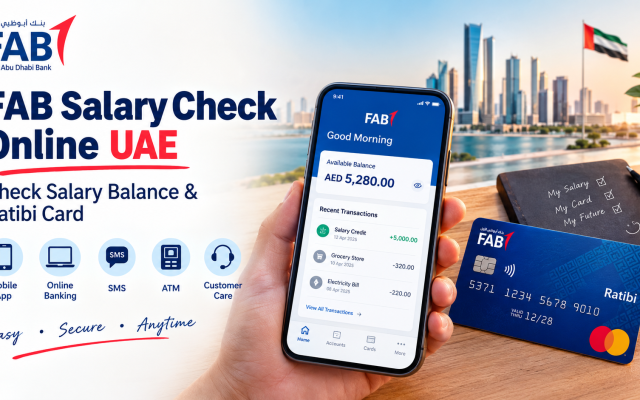
- FAB prepaid or salary cardholder — you receive your salary on a prepaid payroll card such as Ratibi, and you do not have a full FAB bank account or online banking login tied to that card.
If you are not sure which applies, check the card in your wallet. A regular debit card will usually have your name printed on it and ties back to an account you opened with identification and paperwork. A prepaid salary card is typically issued through your employer as part of their payroll setup and does not require you to have opened a personal account.
FAB Bank Balance Enquiry for Regular Accounts
If you hold a standard FAB account, you have the full range of official banking channels available to you.
FAB Mobile App
This is the fastest and most complete option for regular account holders.
- Download the FAB Mobile app from the App Store or Google Play.
- Log in using your online banking credentials, or register using your Emirates ID and card details if this is your first time.
- Your account balances appear immediately on the home screen after login.
- Tap into any account to view recent transactions and download statements.
The app is free to use and also lets you transfer funds, pay bills, and manage cards without visiting a branch.
Fab Bank Balance Enquiry Online (bankfab.com)
If you prefer a browser over an app, the same balance information is available through FAB’s online banking portal.
- Visit bankfab.com and click “Login” in the top navigation.
- Enter your username and password.
- Your account dashboard displays balances for every linked account and card.
If you have not registered for online banking yet, the same login page usually offers a registration option using your Emirates ID and card number.
SMS Balance Check
Send BAL to 6667 from your UAE mobile number registered with your FAB account. You will receive a reply SMS showing your available balance within seconds. Standard SMS charges apply, typically around AED 0.30 per message.
Phone / IVR Banking
Call 600 525 500 from any UAE phone line. Select your preferred language, enter your account or card number when prompted, and follow the voice menu to hear your balance read aloud. This service is available 24/7, and standard call charges apply.
ATM Balance Inquiry
Insert your FAB debit card into any FAB ATM, enter your 4-digit PIN, and select “Balance Inquiry” from the menu. Your balance appears on screen instantly, and you can request a printed receipt. This is free at FAB-branded ATMs, while non-FAB ATMs elsewhere in the UAE may charge a small fee, usually AED 1 to 2 per inquiry.
WhatsApp Banking
FAB also offers a WhatsApp banking channel. Save FAB’s official WhatsApp number, send a message such as “Hi” or “Balance” to start the conversation, and follow the automated prompts to verify your identity before viewing your balance. This is available during standard banking hours, and normal data charges from your provider apply.
FAB Bank Prepaid Card Balance Enquiry
This is where things differ significantly. If you receive your salary on a FAB prepaid card, most commonly the Ratibi payroll card, the regular FAB Mobile app and online banking login often will not work, because these prepaid cards are processed through a separate system linked to FAB’s payments subsidiary, Magnati.
Prepaid Card FAB Bank Balance Enquiry Online
- Visit the official Ratibi/Magnati prepaid card balance enquiry portal.
- Enter the last four digits of your card number.
- Enter your Card ID, a separate reference number printed on the card, distinct from your card number and PIN.
- Complete the captcha verification.
- Submit to view your current balance instantly, with no login or password required.
This lightweight process exists specifically because prepaid cardholders often do not have full online banking credentials, so the bank built a simpler way to check a balance using only what is printed on the physical card.
Fab Bank ATM Card Balance Enquiry (Prepaid Cards)
Ratibi and other FAB prepaid cards can also be checked at any FAB ATM in the same way as a regular debit card:
- Insert the prepaid card into a FAB ATM.
- Enter your 4-digit PIN.
- Select “Balance Inquiry.”
- View your balance on screen or print a receipt.
Phone Support for Prepaid Cards
FAB and Magnati provide separate support lines for prepaid card enquiries. If your regular FAB account phone number does not resolve your query, use the dedicated prepaid card support number printed on your card or listed on the official Ratibi/Magnati support page, since prepaid card issues are generally routed differently from standard account queries.
FAB Bank Balance Enquiry: Quick Comparison Table
| Method | Regular FAB Account | Prepaid / Salary Card (Ratibi) |
|---|---|---|
| Mobile App | FAB Mobile | Usually not applicable unless linked |
| Online Portal | bankfab.com login | Ratibi/Magnati enquiry portal |
| Information needed | Username and password | Last 4 card digits + Card ID |
| SMS | BAL to 6667 | May vary by provider, check card |
| ATM | Any FAB ATM | Any FAB ATM |
| Phone | 600 525 500 | Dedicated prepaid/Ratibi support line |
| Available | Not standard for prepaid cards |
NBAD Balance Enquiry and How It Connects to FAB
A meaningful number of people still search specifically for an “NBAD balance enquiry,” usually because they are holding an older card that still carries the National Bank of Abu Dhabi name. Here is the context that clears this up.
NBAD merged with First Gulf Bank in 2016 to form First Abu Dhabi Bank, and NBAD no longer operates as an independent entity. Any account or card originally issued under the NBAD name has since been migrated into FAB’s systems. This means there is no separate NBAD-specific balance enquiry service anymore.
If you hold an old NBAD-branded bank account, use the standard FAB Mobile app or online banking login described earlier. If you hold an old NBAD-branded prepaid salary card, use the Ratibi/Magnati prepaid card enquiry portal, exactly as described in the prepaid card section above. The card may still physically work at ATMs, but for app or online access, you will need to be registered under the current FAB or Magnati systems rather than searching for a defunct NBAD-only tool.
Why Your FAB Balance Might Not Be Updating
If you recently received a salary or transfer and the balance does not reflect it, a few common causes are worth ruling out before assuming something is wrong.
- WPS processing time. Salary transfers through the Wages Protection System can take 24 to 48 hours to reflect after your employer submits the payroll file.
- Employer submission delay. In most cases where a salary appears “late,” the payroll file simply has not been submitted yet by the employer, rather than there being an issue on the bank’s side.
- Public holidays. Bank processing pauses on UAE public holidays, which can add an extra day or two to any pending transfer.
- Card not yet activated. A newly issued or replacement card that has not been activated will not display new credits correctly.
- Using the wrong channel. If you are a prepaid cardholder trying to log into full FAB Mobile banking rather than the Ratibi/Magnati portal, the balance will not appear at all because you are checking the wrong system entirely.
If the issue continues beyond a reasonable window, contact FAB customer service on 600 525 500 for regular accounts, or the dedicated prepaid card support line for Ratibi and other salary cards.
Staying Safe While Checking Your FAB Balance
Balance enquiries involve sharing sensitive information, whether that is your online banking password or your prepaid Card ID, so a few precautions matter regardless of which method you use.
- Always type bankfab.com or the official Ratibi/Magnati portal address yourself, rather than clicking links sent through SMS, email, or WhatsApp messages, even if they look convincing.
- Never share your PIN, OTP, online banking password, or full 16-digit card number with anyone, including someone claiming to represent FAB.
- Treat your prepaid Card ID with the same caution as a PIN, since it is one of only two pieces of information required to check a prepaid card balance.
- Avoid logging into banking apps or portals over public Wi-Fi. Use mobile data or a trusted network instead.
- If a website looks unfamiliar, loads oddly, or has a slightly misspelled domain, stop and verify the address before entering any details.
Frequently Asked Questions
How do I do a FAB bank balance enquiry online?
Regular account holders can log into bankfab.com or the FAB Mobile app. Prepaid or Ratibi cardholders should use the official Ratibi/Magnati prepaid card balance enquiry portal instead, entering their card’s last four digits and Card ID.
What is the FAB balance enquiry phone number?
For regular FAB bank accounts, call 600 525 500. Prepaid and Ratibi cardholders should use the dedicated prepaid card support line listed on their card or the official Ratibi support page.
Is NBAD balance enquiry the same as FAB balance check?
Yes, functionally. Since NBAD merged into First Abu Dhabi Bank in 2016, all NBAD accounts and cards are now serviced through FAB’s regular banking channels or the Ratibi/Magnati prepaid card system, depending on the product type.
Why can’t I see my prepaid card balance in the FAB Mobile app?
Prepaid and Ratibi salary cards are typically processed through a separate system from regular FAB banking. Use the dedicated Ratibi/Magnati prepaid card enquiry portal instead of the regular banking app.
Is it free to check my FAB balance?
Yes, across the app, online banking, phone banking, WhatsApp, and FAB-branded ATMs. SMS balance checks and non-FAB ATM inquiries may carry a small standard fee.
What should I do if my salary hasn’t reflected on my FAB account or card?
Wait 24 to 48 hours to account for standard WPS processing time, confirm with your employer that the payroll file was submitted, and contact FAB or the relevant prepaid card support line if the delay continues beyond that window.
Final Thoughts
The key to a smooth FAB bank balance enquiry is knowing which system applies to you before you start. Regular account holders have the widest set of options, including the FAB Mobile app, online banking, SMS, phone banking, and ATMs. Prepaid and Ratibi cardholders should skip regular banking login attempts entirely and go straight to the dedicated prepaid card enquiry portal using their card’s last four digits and Card ID. Once you know which channel matches your card or account, checking your balance takes less than a minute, regardless of which method you choose.