Emirates NBD Balance Check: The Complete Guide (App, Online, ATM, SMS & Phone)
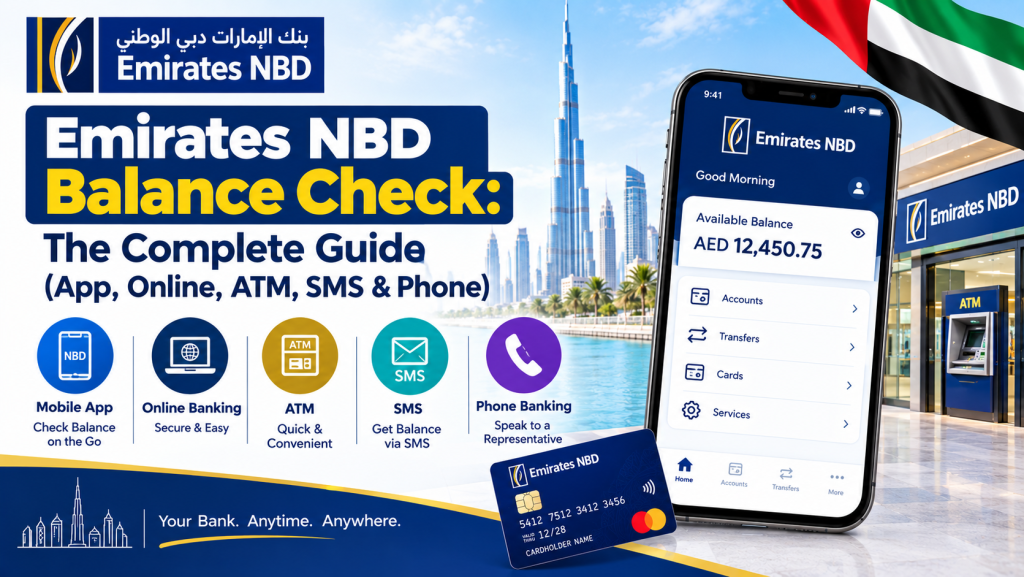
Checking your account balance shouldn’t take longer than the coffee you’re drinking while you do it. If you bank with Emirates NBD, you actually have more ways to run a quick balance enquiry than most people realize — a mobile app, internet banking, ATMs, SMS, WhatsApp, and a 24-hour phone line all give you the same number in different amounts of time.
This guide walks through every official Emirates NBD balance check method, explains when to use each one, and covers a few related questions people search for just as often — from checking a prepaid or credit card balance to finding the nearest branch, including the well-known Al Muraqqabat branch in Deira.
A quick note before we start: this is an independent guide, not an official Emirates NBD page. Never share your full card number, PIN, password, or OTP with anyone or on any site outside Emirates NBD’s own app, website, or verified phone line.
About Emirates NBD Bank
Emirates NBD is one of the largest banking groups in the Middle East, formed through the 2007 merger of National Bank of Dubai and Emirates Bank International. Today it serves millions of personal, business, and corporate customers across current accounts, savings accounts, credit cards, prepaid cards, and digital banking. The bank has invested heavily in digital channels, which is exactly why there are so many valid ways to check your balance without setting foot in a branch.
Emirates NBD Balance Check: All Methods at a Glance
| Method | Internet Needed | Speed | Best For |
| ENBD X Mobile App | Yes | Instant | Everyday quick checks |
| Online / Internet Banking | Yes | Instant | Desktop users, statements |
| ATM Balance Inquiry | No | Under 1 minute | No smartphone, on the go |
| SMS Banking | No | 1–2 minutes | No data connection |
| WhatsApp Banking | Yes (data) | Instant | Chat-based convenience |
| Phone Banking / Customer Care | No | 2–5 minutes | Detailed queries, lost PIN |
Emirates NBD Balance Check via the ENBD X Mobile App
The ENBD X app is the fastest way to see where you stand financially. Once logged in, your balance sits right on the home screen — no digging through menus required.
- Open the ENBD X app on your phone.
- Log in with your User ID and password, or use Face ID / fingerprint if biometric login is set up.
- Your linked accounts appear on the dashboard, each showing its current balance.
- Tap any account for full transaction history and a breakdown of available versus ledger balance.
A useful shortcut inside the app is the “Quick Balance” widget, which shows your balance with just a PIN or biometric tap — no full login needed. It’s the option most people end up using multiple times a day.
Online Balance Enquiry via Internet Banking
If you’re on a desktop or just prefer a bigger screen, an online balance enquiry through Emirates NBD’s internet banking portal gives you the same numbers as the app, plus easier access to downloadable statements.
- Go to the official Emirates NBD website and click Login.
- Select ENBD X Online Banking from the login options.
- Enter your User ID and password, then complete the OTP sent to your registered mobile number.
- The Account Overview page displays all your linked accounts and balances.
- Go to Accounts → Statements for transaction history and downloadable PDF or CSV files.
Internet banking is particularly handy at month-end if you’re reconciling personal spreadsheets or need statements for visa, loan, or landlord documentation.
Emirates NBD ATM Balance Inquiry
With hundreds of ATMs across the UAE, this is the most universally accessible way to check your balance — no phone, no data, no login required.
- Insert your Emirates NBD debit or credit card into the ATM.
- Choose your preferred language.
- Enter your 4-digit PIN.
- Select Balance Inquiry from the menu.
- Your available balance appears on screen, and you can print a receipt if you want a paper record.
Keep in mind that the balance shown at an ATM is your available balance — it already accounts for pending holds and recent authorizations, which is usually the more useful number for everyday spending decisions.
SMS Balance Check (No Internet Needed)
For a quick balance enquiry without opening any app, SMS remains a reliable fallback:
- Send BAL to 4422 from your registered mobile number.
- You’ll receive a reply text with your current balance within a couple of minutes.
This only works if the number you’re texting from is the one registered on your account. If nothing comes through, that’s almost always the reason — verify your registered number through the app or by calling customer care.
WhatsApp Banking
Given how widely WhatsApp is used across the UAE, Emirates NBD also offers balance checks through a chat-based interface. Save the official WhatsApp banking number from the bank’s website, start a chat, follow the bot’s authentication prompts, then select Balance Inquiry from the menu. The same chat also handles statement requests and basic queries, often faster than waiting on hold during busy call hours.
Emirates NBD Customer Care: Phone Banking Balance Check
If you’d rather listen than tap, Emirates NBD’s customer care line runs 24/7 with an automated IVR system for quick self-service, plus the option to speak with an agent.
- Call the Emirates NBD customer care number within the UAE.
- Follow the voice prompts and select Balance Inquiry.
- Authenticate using your phone banking PIN or by answering identity verification questions.
- The system reads your current balance aloud.
If your PIN is forgotten or your issue is more complex than a simple balance check, press the option to connect with a live representative. Calling mid-morning on a weekday, rather than around lunchtime, generally means shorter hold times.
Checking a Prepaid Card Enquiry
Emirates NBD also issues prepaid cards, including salary prepay cards used by some employers for wage disbursement. A prepaid card enquiry works slightly differently from a regular account balance check, since these cards run on their own dedicated rail. ATM inquiries work the same as any other card — insert, PIN, select Balance Inquiry. For SMS or phone banking, you may need to specify the prepaid card number rather than assuming your primary account. In the mobile app, a registered prepaid or salary card appears as a separate linked product — tap it to see its balance just like any other account. If it isn’t showing up, a quick call to customer care will confirm how your card is set up.
Emirates NBD Credit Card Balance Check
A credit card balance works a bit differently than a current account, since what you’re really checking is your outstanding balance — how much you owe, not how much you have.
- In the ENBD X app, select your credit card from the accounts list to see your outstanding balance, available credit limit, minimum payment due, and due date.
- Through internet banking, the same details appear under your credit card’s dedicated section.
- ATMs display outstanding balance and available credit for supported cards.
- Phone banking can read out your balance and due date after identity verification.
Checking this regularly matters more than people think — catching an unfamiliar transaction early, or simply knowing how close you are to your limit, avoids both fraud headaches and unnecessary interest charges.
Available Balance vs. Ledger Balance
This trips a lot of customers up, so it’s worth clarifying directly:
| Balance Type | What It Means |
| Available Balance | What you can actually spend or withdraw right now, after pending holds and recent transactions |
| Ledger Balance | The official accounting balance at the start of the business day, before that day’s transactions settle |
| Outstanding Balance (credit cards) | The total amount owed, including recent purchases and any interest |
For everyday spending decisions, always go by your available balance — the ledger balance can look misleadingly high if you’ve made purchases in the last 24 hours that haven’t fully processed yet.
Finding Emirates NBD “Near Me”: Branches and ATMs
If you’d rather handle things in person, Emirates NBD operates one of the largest branch and ATM networks in the UAE. To find Emirates NBD near me, use the built-in branch/ATM locator in the ENBD X app, which shows real-time distance and machine status, or search “Emirates NBD” on Google Maps for hours and reviews. The bank’s own website locator is the most reliable source for current addresses, since timings can shift around public holidays.
Spotlight: Emirates NBD Al Muraqqabat Branch
One of the most searched and visited branches in Dubai is the Emirates NBD Al Muraqqabat branch, located on Hor Al Anz Street in Deira. It sits close to Al Rigga Metro Station, making it easy to reach without a car, and serves a busy catchment that includes Al Rigga, Salah Al Din, and the Deira Corniche area.
Typical details for the Muraqqabat branch:
- Address: Emirates NBD Building, Al Muraqqabat Branch, Hor Al Anz Street, Deira, Dubai
- Working hours: Saturday to Thursday, roughly 8:00 AM to 8:00 PM (often slightly shorter, around 7:00 PM, on the last working day of the month)
- Facilities: Full-service banking counters plus an on-site ATM
- Nearest metro: Al Rigga / Abu Baker Al Siddique station, both within a short walk
Because this is one of the busier branches in Dubai, mid-morning on a weekday tends to mean shorter waits than late afternoons or the last few days of the month. As with any branch, it’s worth confirming exact hours on the day of your visit, since timings can shift around holidays or bank-wide schedule updates.
Keeping Your Account Secure While Checking Your Balance
A few habits go a long way: only log into the app or website through official Emirates NBD platforms, never through a link sent by SMS or email; the bank will never ask for your full password, PIN, or OTP on a call you didn’t initiate; shield your PIN at ATMs and check the card slot for anything unusual before inserting your card; and use biometric login on the app while logging out of internet banking on shared devices.
Frequently Asked Questions
How do I do a balance enquiry without the Emirates NBD app? Use internet banking, any Emirates NBD ATM, SMS (BAL to 4422), WhatsApp banking, or a call to customer care — none require the app installed.
What number do I text for an Emirates NBD SMS balance check? Send BAL to 4422 from your registered mobile number and expect a reply within a couple of minutes.
How do I check my Emirates NBD credit card balance? Select your credit card in the ENBD X app or internet banking to see outstanding balance, available limit, and due date. ATMs and phone banking also display this for supported cards.
Can I check a prepaid card balance the same way as a regular account? Mostly yes for ATMs. For SMS or phone banking, you may need to reference the prepaid card number specifically, since it’s sometimes treated as a separate product from your main account.
Where is the Emirates NBD Al Muraqqabat branch located? On Hor Al Anz Street in Deira, Dubai, close to Al Rigga Metro Station, typically open Saturday to Thursday from around 8:00 AM to 8:00 PM.
Is there a fee for checking my balance? App, internet banking, and WhatsApp checks are free, as are ATM inquiries at Emirates NBD machines. Other banks’ ATMs may charge a small fee, and standard SMS rates apply for the initial text.
How do I contact Emirates NBD customer care? Call the official number listed on the bank’s website or the back of your card. The line runs 24/7 with an automated menu, plus the option to speak with a live agent.
Final Thoughts
Whichever channel fits your day — the app for quick daily glances, internet banking for detailed statements, an ATM when you’re out and about, or a call to customer care when something needs a human — Emirates NBD gives you enough options that checking your balance never has to be a hassle. Make it a habit rather than an afterthought, and set up low-balance or transaction alerts in the app so the bank does some of the watching for you.
This guide is for informational purposes only and is not affiliated with Emirates NBD. Always confirm current phone numbers, branch hours, and procedures directly through the official Emirates NBD app or website.