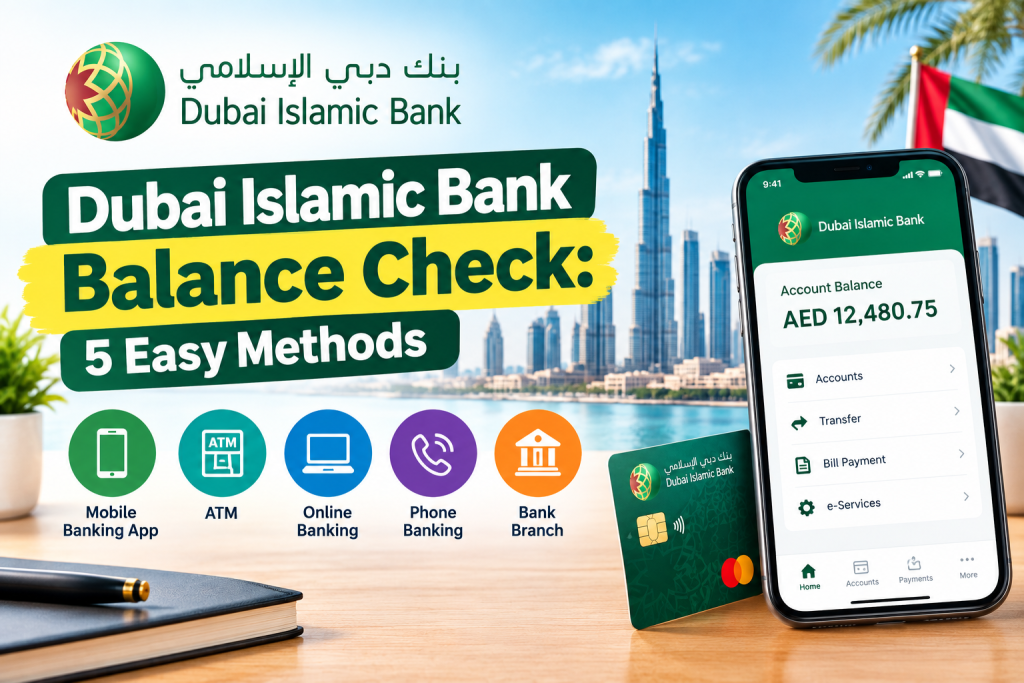
Dubai Islamic Bank Balance Check: 5 Easy Methods
Checking your bank balance regularly is one of the easiest ways to keep track of your money, recent transactions and available funds. If you have an account with Dubai Islamic Bank (DIB), you can check your balance through several convenient channels without always needing to visit a branch.
A Dubai Islamic Bank balance check can be completed through DIB’s digital banking services, mobile banking, ATMs and phone banking. These options allow customers to access account information while at home, at work or on the move.
This guide explains the main ways to check your DIB account balance in the UAE, including online banking, the DIB mobile app, ATMs and phone banking. It also covers common problems, security tips and frequently asked questions.
What Is a Dubai Islamic Bank Balance Check?
A Dubai Islamic Bank balance check allows customers to view the available balance in their DIB account. Depending on the banking channel you use, you may also be able to review recent transactions, statements, card information and other account details.
DIB provides digital banking services under its alt platform, which brings together mobile banking, online banking, phone banking, WhatsApp services and ATM-based services.
For customers who frequently monitor their finances, using digital banking is generally more convenient than visiting a branch for a simple balance inquiry.
How to Check Dubai Islamic Bank Balance Online
One of the easiest ways to perform a DIB balance check online is through DIB’s online banking service.
Steps to Check Your DIB Balance Online
- Open the official DIB online banking website.
- Log in using your registered banking credentials.
- Complete any required security verification.
- Open your account or relationship summary.
- Select the relevant account.
- Your available account balance and related account information should be displayed.
Online banking can be particularly useful when you are using a desktop or laptop and want to review your account information in a larger interface.
Always make sure that you access online banking through the official DIB website rather than clicking an unfamiliar link received through email, SMS or social media.
Dubai Islamic Bank Balance Check Through Mobile App
For customers who prefer using a smartphone, DIB provides mobile banking through its DIB alt mobile experience.
The mobile app is useful for checking account information while travelling, shopping or managing everyday expenses.
How to Check Your Balance Using DIB Mobile Banking
Follow these general steps:
- Open the official DIB mobile banking app.
- Sign in with your registered credentials.
- Complete the required security verification.
- Go to your accounts or relationship summary.
- Select the account you want to check.
- Review your available balance and recent account information.
The exact layout and menu names can change when the bank updates its application. If your screen looks different, use the account or balance section within the official DIB app.
DIB’s digital banking platform provides more than just balance checking. Customers can use its digital channels for various banking services, including payments, transfers and account management.
Dubai Islamic Bank Balance Check Through ATM
If you prefer using an ATM, you can also perform a DIB ATM balance check.
Steps to Check Your DIB Balance at an ATM
- Visit a DIB ATM.
- Insert your debit card.
- Enter your PIN securely.
- Select the balance inquiry option.
- Choose the relevant account if prompted.
- View the available balance on the screen.
- Take a receipt if you need a printed record.
DIB’s ATM services include account balance inquiry and credit card balance inquiry, along with other self-service options.
You should always cover the keypad when entering your PIN and avoid accepting assistance from strangers at an ATM.
Can You Check DIB Balance at a Non-DIB ATM?
A balance inquiry may also be available through a non-DIB ATM in the UAE. However, fees can apply depending on the ATM and transaction type.
Before using another bank’s ATM specifically for a balance inquiry, check the applicable charges. If a DIB ATM is conveniently available, it may be the better option.
Dubai Islamic Bank Balance Check by Phone
Another option is DIB alt phone banking.
DIB provides phone banking that allows customers to access certain account services without visiting a branch.
How to Check DIB Balance by Phone
- Call DIB phone banking on 04 609 2222 from within the UAE.
- Customers calling from outside the UAE can use +971 4 609 2222.
- Follow the automated instructions.
- Authenticate your account when requested.
- Select the appropriate account or balance inquiry option.
- Follow the prompts to obtain your account information.
DIB’s phone banking service also supports balance and recent transaction inquiries for eligible accounts.
The bank states that its phone banking service is available around the clock. Customers should keep their Telephone PIN confidential and never share it with another person.
What Information Can You Check?
Depending on the channel and account type, a DIB customer may be able to access information such as:
- Current or available account balance
- Recent transactions
- Account details
- Card information
- Mini statements
- Account statements
- Finance information
- Other banking services
Mobile and online banking are generally more useful if you need detailed information rather than simply checking your balance.
DIB Balance Check for Savings and Current Accounts
Customers with eligible DIB savings or current accounts can use DIB’s digital and self-service channels to access account information.
For a quick balance inquiry, you can use the mobile app, online banking, ATM or phone banking. If you need a detailed transaction history, an electronic statement may be more useful.
Before relying on a balance shown on any banking channel, remember that pending transactions or recently processed payments may affect the amount you can actually spend.
What to Do If Your DIB Balance Is Not Showing
Sometimes customers may be unable to see their balance because of a login issue, technical problem, incorrect credentials or temporary service interruption.
Try the following:
1. Check Your Internet Connection
If you are using mobile or online banking, make sure your internet connection is stable.
2. Update the App
If the DIB mobile app is not working correctly, check whether an updated version is available through the official app store.
3. Try Another Banking Channel
If the mobile app is temporarily unavailable, you can try online banking, an ATM or phone banking.
4. Contact DIB
If the issue continues, contact DIB through its official customer support channels rather than using an unofficial number found online.
Important Security Tips for DIB Customers
Bank balance information is private financial information. Always protect your login details and banking credentials.
Keep these security practices in mind:
- Never share your banking password.
- Never share your card PIN.
- Do not disclose your Telephone PIN.
- Never share an OTP with another person.
- Avoid logging into banking through links received from unknown senders.
- Check the website address before entering your credentials.
- Do not install banking applications from unofficial sources.
- Report suspicious or unauthorized transactions immediately.
- Use secure networks when accessing online banking.
DIB specifically warns customers not to respond to emails asking for personal banking information and advises customers to keep account numbers, card numbers, passwords and PINs confidential.
Dubai Islamic Bank Balance Check: Which Method Is Best?
The best method depends on what you need.
| Method | Best For |
|---|---|
| DIB Mobile App | Quick balance checks on a smartphone |
| DIB Online Banking | Checking accounts on a computer |
| DIB ATM | Balance inquiry while outside |
| DIB Phone Banking | Checking information without using the app |
| E-Statement | Reviewing transactions and account history |
For everyday use, mobile banking is usually the most convenient option because you can access your account from almost anywhere.
Frequently Asked Questions
How can I check my Dubai Islamic Bank balance?
You can check your DIB balance through DIB mobile banking, online banking, DIB ATMs or phone banking, depending on your account and service access.
What is the DIB balance check number?
DIB lists 04 609 2222 for phone banking within the UAE. From outside the UAE, customers can use +971 4 609 2222.
Can I check my DIB balance online?
Yes. DIB provides online banking services through its digital banking platform. After logging in, you can access your account information and balance.
Can I check my DIB balance using my mobile phone?
Yes. DIB’s mobile banking service allows customers to access account information, including balances, after signing in.
Can I check my DIB balance at an ATM?
Yes. DIB ATMs provide an account balance inquiry service. You can insert your debit card, enter your PIN and select the balance inquiry option.
Is DIB phone banking available 24/7?
DIB states that its phone banking service is available around the clock, seven days a week.
What should I do if I cannot access my DIB account?
First check your login details and internet connection. If the problem continues, try another official banking channel or contact DIB customer support.
Final Thoughts
A Dubai Islamic Bank balance check does not require a branch visit in most situations. Customers can use DIB mobile banking, online banking, ATMs or phone banking to access their account information.
For regular balance monitoring, the mobile app is a convenient option. ATMs can be useful when you are already outside, while phone banking provides another alternative when you cannot use the app or website.
For security, always use official DIB channels and never share your password, PIN, OTP or other confidential banking information with anyone.