How to Check Etisalat Balance: Complete UAE Guide (Prepaid, Postpaid & Data)
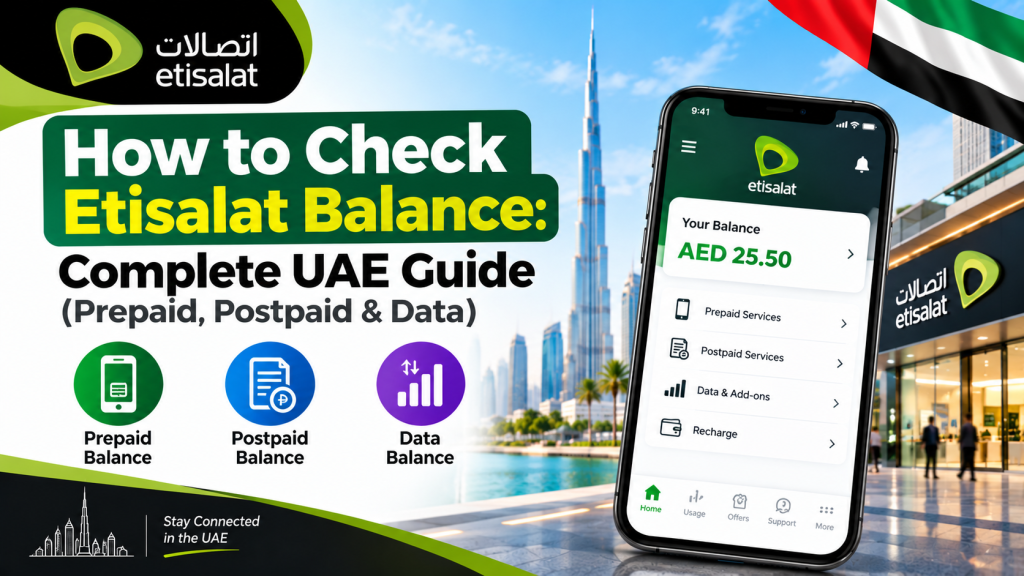
Running out of credit mid-call or hitting a data wall right when you need it most is one of those small annoyances that always seems to happen at the worst time. The good news is that checking your Etisalat balance in the UAE takes just a few seconds once you know the right code or app to use, whether you are on a prepaid Wasel line or a postpaid plan.
Etisalat now operates under the e& UAE brand, so you may notice the newer name on the app and website, but the balance-check methods themselves work exactly as they always have. This guide walks through every official way to check your balance, top up, and troubleshoot issues, whether you want your main credit, your data allowance, or your postpaid bill summary.
How to Check Etisalat Balance: The Quick Answer
For most people, the fastest route is still the classic USSD code. Prepaid customers dial *121# to see their main balance instantly, while postpaid customers dial *140# to view their bill status and remaining allowances. Both work on any phone without needing internet access, and both are completely free.
If you would rather use an app, the e& UAE app shows your balance, data, minutes, and bill details all in one dashboard, updated in real time.
How to Check Etisalat Prepaid Balance
Prepaid, or Wasel, customers have several ways to check their main account balance depending on what is convenient at the moment.
Dial *121# (Fastest Method)
- Open your phone’s dialer as if making a call.
- Type *121# and press the call button.
- Your available balance in AED appears on screen within seconds.
This works on any handset, requires no internet connection, and is entirely free. It remains the go-to method for a reason: it is quick, reliable, and does not depend on app updates or logins.
Send an SMS to Check Balance
If USSD is not responding on your network, or you simply prefer text messages, send BAL to 121 or 1010. You will receive a reply SMS with your current balance within moments. This is a handy backup in areas with weaker signal, since SMS can sometimes go through where an interactive USSD session fails.
Check Active Bundles with *101#
Dialing *101# opens a menu showing your active data packs, promotional offers, and remaining benefits, not just your cash balance. This is useful if you have purchased add-ons and want to see how much of each one is left, along with expiry dates.
How to Check Etisalat Postpaid Balance
Postpaid customers do not carry a spendable credit balance the way prepaid users do, so “checking your balance” here really means checking your current bill status and remaining usage allowances for the month.
Dial *140# for a Bill Summary
Dial *140# from your registered Etisalat number to see your outstanding amount due, payment deadline, remaining data, voice minutes, and SMS count for the current cycle. This works on any phone without internet and gives you a snapshot before your official bill even arrives.
Use the e& UAE App for a Full Breakdown
For a more detailed look, including itemized call logs, data usage graphs, and downloadable PDF bills going back up to a year, log into the e& UAE app or the website. This is particularly useful if you want to check for unusual charges or simply prefer visual usage summaries over a plain text menu.
How to Check Etisalat Data Balance
Data tends to run out faster than most people expect, especially with video streaming and social media apps running in the background, so checking it separately from your main balance is worth doing regularly.
Dial *170# for Data Balance
This works for both prepaid and postpaid lines. Dial *170# and press call. Your remaining data in MB or GB, along with the validity period of your current data pack, appears instantly on screen.
Check Data Balance in Etisalat Prepaid via 1211#
Prepaid users have an additional shortcut specifically for data: *121*1#. This is essentially a quicker path to the same information without going through the full *101# menu.
Send DATA to 1010
If you prefer an SMS-based check, text DATA to 1010. You will get a reply showing your remaining data allowance, its expiry date, and, for postpaid users, how many days remain in the current billing cycle.
Automatic Data Alerts
Etisalat automatically sends free SMS alerts once you reach 80%, 90%, and 100% of your data allowance. This is especially important for prepaid users, since data stops working entirely once the allowance runs out. You can manage these alerts inside the e& UAE app under Settings or Notifications.
How to Check Etisalat Balance Using the e& UAE App
The official app, previously known as My Etisalat UAE, is the most complete option if you want everything in one place.
- Download the e& UAE app from the App Store or Google Play.
- Log in with your mobile number and verify with the OTP sent by SMS.
- Your dashboard will display your main balance (prepaid) or current bill amount (postpaid) right at the top.
- Below that, you will see remaining data, voice minutes, SMS allowance, and validity dates for each active pack.
- Pull down on the dashboard to refresh and pull the latest figures after any recent usage.
The app also lets you buy data add-ons, top up your balance, and view usage history for the last 90 days, which makes it more detailed than any single USSD code.
How to Check Etisalat Balance While Roaming
Standard USSD codes like *121# and *140# often do not work while you are outside the UAE, since they rely on the local network. Instead, Etisalat provides an international IVR line: call +9714004121 from any phone, listen to the voice prompts in Arabic or English, and follow the instructions to hear your balance read aloud. This service also allows you to recharge your account remotely using a card while traveling, which is worth saving in your contacts before any trip abroad.
Etisalat Balance Check Methods at a Glance
| What You Want to Check | Fastest Method | Alternative |
| Prepaid main balance | Dial *121# | SMS “BAL” to 121 or 1010 |
| Postpaid bill and usage | Dial *140# | e& UAE app |
| Data balance (prepaid or postpaid) | Dial *170# | SMS “DATA” to 1010 |
| Data balance (prepaid shortcut) | Dial 1211# | e& UAE app |
| Active bundles and offers | Dial *101# | e& UAE app |
| Balance while roaming abroad | Call +9714004121 | e& UAE app (where data works) |
Common Balance Check Problems and How to Fix Them
Most balance check issues come down to a handful of predictable causes, and nearly all of them can be resolved without calling customer service.
USSD code not responding. Make sure your phone is not in airplane mode and has a signal. Toggling airplane mode on and off for ten seconds often forces your phone to reconnect properly. If that fails, restart your phone, and on Android devices, try clearing the phone app’s cache.
Balance not updating after a recharge. Wait about five minutes for the transaction to process, then dial the USSD code again or refresh the app. If the app still shows an outdated balance, log out and log back in. Keep your recharge receipt or transaction reference in case you need to follow up.
SMS balance check not replying. This can happen during periods of network congestion. Try sending the request again after a few minutes, or switch to the USSD method instead.
Data balance seems lower than expected. Background apps often consume more data than people realize. Check your phone’s own data usage settings alongside the Etisalat figure to see which apps are the biggest consumers.
How to Check Etisalat Balance in the UAE: Extra Tips
A few small habits make balance management much less of a hassle over time:
- Save the key USSD codes (*121#, *140#, *170#, *101#) as a note on your phone so you never have to search for them again.
- Turn on data usage alerts in the e& UAE app rather than relying purely on memory.
- If you manage more than one line, such as a family member’s number, the e& UAE app supports multiple accounts under a single login, which saves a lot of switching between SIMs.
- Keep the international roaming number (+9714004121) saved before any trip abroad, since local USSD codes generally will not work once you leave the UAE network.
Contacting Etisalat Customer Support
If none of the above methods resolve your issue, Etisalat offers several direct support channels. Dial 101 from any Etisalat line for free 24-hour customer service in Arabic and English. If you are calling from outside the UAE or from a non-Etisalat line, use +971 800 101. There is also an official WhatsApp business line; simply message the number and follow the prompts to reach an agent or access automated balance options. For in-person help, visit any e&-branded retail store with your Emirates ID and registered mobile number on hand.
Frequently Asked Questions
How do I check my Etisalat balance without an app? Dial *121# for prepaid balance or *140# for postpaid bill status. Both work on any phone without internet access.
How do I check data balance on Etisalat? Dial *170# for either prepaid or postpaid data balance, or use the prepaid-specific shortcut *121*1#. You can also send “DATA” by SMS to 1010.
How do I check my Etisalat balance in the UAE while traveling abroad? Standard USSD codes usually will not work while roaming. Call the international IVR line at +9714004121 to hear your balance read out through voice prompts.
*Why does 121# show no response on my phone? This is usually a signal issue. Toggle airplane mode on and off, restart your phone, or move to an area with stronger network coverage before trying again.
Can I check my Etisalat balance through the e& UAE app if I have multiple lines? Yes. The app supports managing multiple accounts from a single login, which is useful for checking balances across a family’s numbers without switching SIMs.
How do I check my Etisalat postpaid balance in the UAE? Dial *140# for an instant summary of your outstanding bill, due date, and remaining allowances, or open the e& UAE app for a fully itemized breakdown.
Final Thoughts
Checking your Etisalat balance does not need to involve guesswork or digging through old bookmarks. For most situations, a quick USSD code like *121# for prepaid or *140# for postpaid gets you the answer in seconds, while the e& UAE app is the better choice when you want a full picture of your usage, bills, and data history. Save the core codes somewhere handy, turn on data alerts, and you will rarely be caught off guard by a balance running lower than expected.For another UAE balance-check method, see our Lulu Exchange balance check guide.